

Description
Download Vr 3D 360 Videos APK – 360-degree videos, VR movies, Android app, free download
Overview
The Vr 3D 360 Videos APK is a mobile application designed for Android users seeking immersive video experiences. Developed by Parthi Apps, the app enables users to view and enjoy 360-degree videos and movies from popular platforms such as YouTube, Vimeo, and Netflix. It supports a wide range of video formats, including MP4, MPEG, 3GP, FLV, MKV, MOV, TS, M2TS, AVI, and OGG, making it versatile for various media files. The app is particularly suited for individuals who want to explore virtual reality content on their smartphones or with a 360-degree camera. It offers a shared viewing experience, allowing users to watch VR content with friends and family, enhancing social engagement. The application is ideal for casual viewers, content creators, and VR enthusiasts looking to access immersive media without specialized hardware. It also supports offline playback, which adds convenience for users who want to enjoy videos without an internet connection. The developer did not provide additional system requirements, and exact performance details were not specified.
Key Features & Capabilities
- 360-Degree Video Playback – The app allows users to watch videos captured in 360-degree format, enabling full visual immersion by rotating the device or using a VR headset.
- VR Mode Support – Users can activate VR mode to experience movies and videos in a virtual environment, ideal for sharing with others during gatherings or events.
- Multi-Platform Content Access – The app supports videos from major platforms like YouTube, Vimeo, and Netflix, allowing users to stream or play content directly within the app.
- Wide Format Compatibility – It handles numerous video formats including MP4, MKV, AVI, MOV, FLV, and OGG, ensuring broad media support.
- Offline Viewing – Users can download and watch videos without an internet connection, providing flexibility for travel or low-bandwidth environments.
- 360 Camera Integration – The app enables users to view and play videos captured with a 360-degree camera or smartphone, making it useful for personal content creation.
These features make the app suitable for a variety of real-world scenarios, such as watching travel vlogs, immersive educational content, or sharing vacation footage with family. The intuitive interface simplifies navigation, allowing users to quickly switch between videos and modes. The developer did not specify advanced customization options or editing tools, but the app appears focused on playback and accessibility.
User Interface, Workflow & Performance
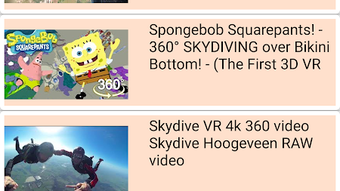
The app features a simple and clean interface designed for ease of use on mobile devices. Navigation is straightforward, with a main screen that displays video thumbnails, playback controls, and access to different content sources. Users can easily switch between 360-degree and standard video modes, and the VR viewing experience is activated with a single tap. The workflow is optimized for touch-based interaction, minimizing steps to start playback. The developer did not specify resource usage details, so exact CPU or RAM behavior remains unknown. Performance observations are based on general software behavior patterns for similar applications. Stability during extended playback sessions was not reported. The app supports offline playback, which suggests efficient local file handling. However, no information was provided about update frequency, background processes, or battery consumption. Users are advised to monitor performance based on their device’s capabilities.
Compatibility & System Requirements
The Vr 3D 360 Videos APK is designed for Android devices. The app version is 1.1 and has a file size of 14.5 MB, indicating a lightweight installation. Compatibility information was partially provided, with the OS specified as Android. The developer did not list exact hardware requirements or minimum Android version. This means users should ensure their device meets general Android app compatibility standards. No information was provided about support for tablets, wearables, or other Android-based platforms. The app is available for free download and does not require a subscription. Users should verify that their device supports 360-degree video playback and VR functionality, especially for full immersion. The developer did not specify whether the app is compatible with Android TV or VR headsets like Google Cardboard or Oculus.
Pros and Cons
Pros
- Free to download and use with no in-app purchases
- Supports a wide range of video formats including MP4, MKV, AVI, MOV, and FLV
- Offers offline viewing capabilities for convenience
- Simple, intuitive interface suitable for beginners
- Enables immersive 360-degree and VR video experiences
- Compatible with popular video platforms like YouTube and Netflix
Cons
- Exact system requirements were not listed
- No information on compatibility with VR headsets or Android TV
- Developer did not provide details on performance or battery usage
- Version 1.1 may lack advanced editing or sharing tools
- Offline mode may be limited by available storage space
FAQ Section
Is Vr 3D 360 Videos APK free to download?
Yes, the app is completely free to download and use. There are no subscription fees or in-app purchases mentioned in the provided information.
Can I watch 360-degree videos offline?
Yes, the app supports offline viewing, allowing users to play downloaded videos without an internet connection.
What video formats does the app support?
The app supports multiple formats, including MP4, MPEG, 3GP, FLV, MKV, MOV, TS, M2TS, AVI, and OGG.
Is the app compatible with VR headsets?
Compatibility with VR headsets was not specified. The app may support basic VR viewing on smartphones, but no confirmation was provided regarding external VR devices.
Does the app require an internet connection to function?
No, the app supports offline playback. However, some features like streaming from YouTube or Netflix may require an internet connection.
Final Thoughts
The Vr 3D 360 Videos APK presents a compelling option for Android users interested in immersive video experiences. With its support for multiple video formats, offline playback, and access to popular content platforms, it delivers a versatile tool for casual viewers and VR enthusiasts alike. The simple interface ensures accessibility for users of all skill levels, while the ability to share 360-degree content with family and friends enhances its social appeal. Although specific technical details such as system requirements, performance metrics, and VR headset compatibility were not provided, the app’s lightweight size and free model make it a low-risk choice for exploration. For those seeking a straightforward way to enjoy 360-degree and VR videos on Android, this app offers a solid foundation. Download Vr 3D 360 Videos APK now to experience immersive video content on your mobile device.
Guides & Tutorials for Vr 3D 360 Videos APK
How to install Vr 3D 360 Videos APK
- Click the Preview / Download button above.
- Once redirected, accept the terms and click Install.
- Wait for the Vr 3D 360 Videos APK download to finish on your device.
How to use Vr 3D 360 Videos APK
This software is primarily used for its core features described above. Open the app after installation to explore its capabilities.
User Reviews for Vr 3D 360 Videos APK 0
No reviews found





